Partial Payment - Case study
Dec 9, 2024Now pay partially to book flight tickets
How did it all start?
Imagine you're booking a flight ticket from Delhi to London but the total fare is going out of your current budget. What if we surprise you — pay a fraction of the total fare now and pay the rest later. Wouldn't that be affordable and great?
Introducing Partial Payment in flight ticket booking
Taking one more step towards affordability.
We're trying to solve a problem
To make flight tickets seem affordable to users because they are expensive (and yes they are!).
Goals we wanted to achieve
1. Business goal: To make flight tickets seem affordable to the user by introducing the Partial Payment feature. 2. Product goal: To increase the conversion metric of users booking flight tickets. 3. Design goal: To increase the discoverability of the partial payment feature.
I wasn't alone, I collaborated with
1. Two product managers to understand the scope of the feature and its objectives. 2. A senior UX designer (who was my mentor during my time at MMT) to get timely feedback and make sure I follow the MMT style of designing products. 3. A few engineers to understand the tech constraints at every stage. [thereafter, will be calling all these people as stakeholders]
I started off by marketing the feature on the flights listing page
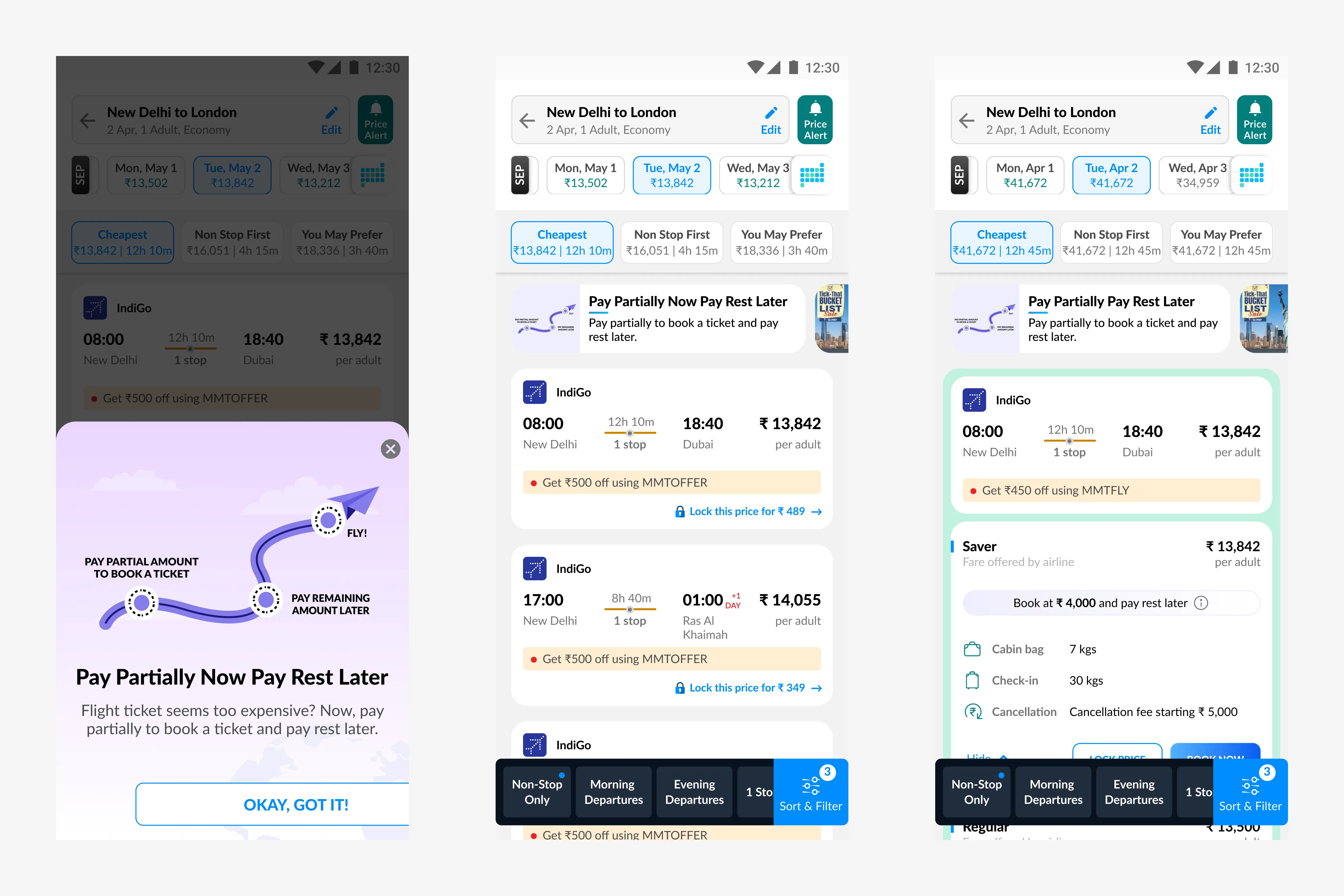
After having a fair understanding of the feature we are trying to build, we had to market it so users at least get to know about it. We decided to show a modal soon after the user lands on the listing page. Here are some visual iterations I made for the modal.
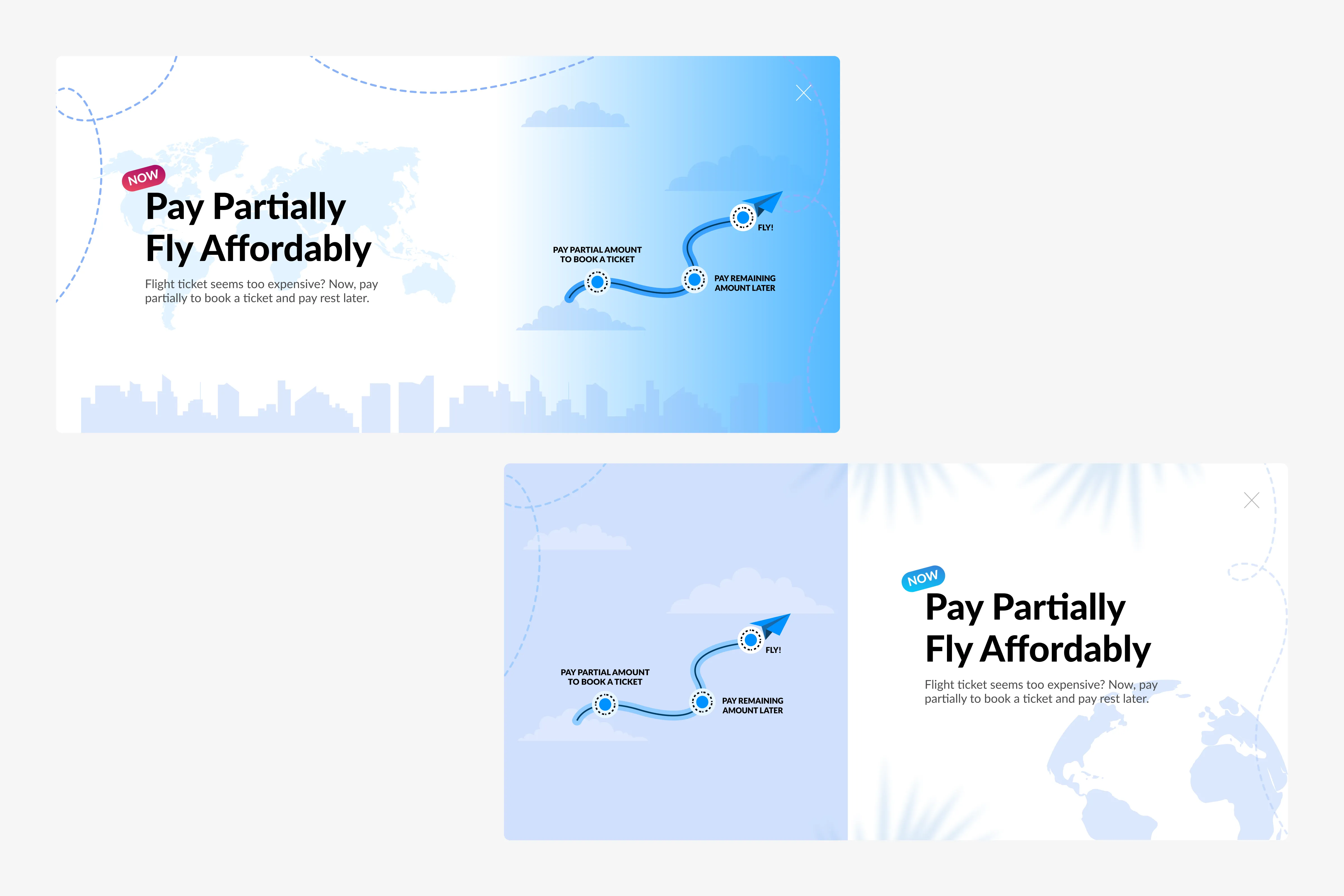
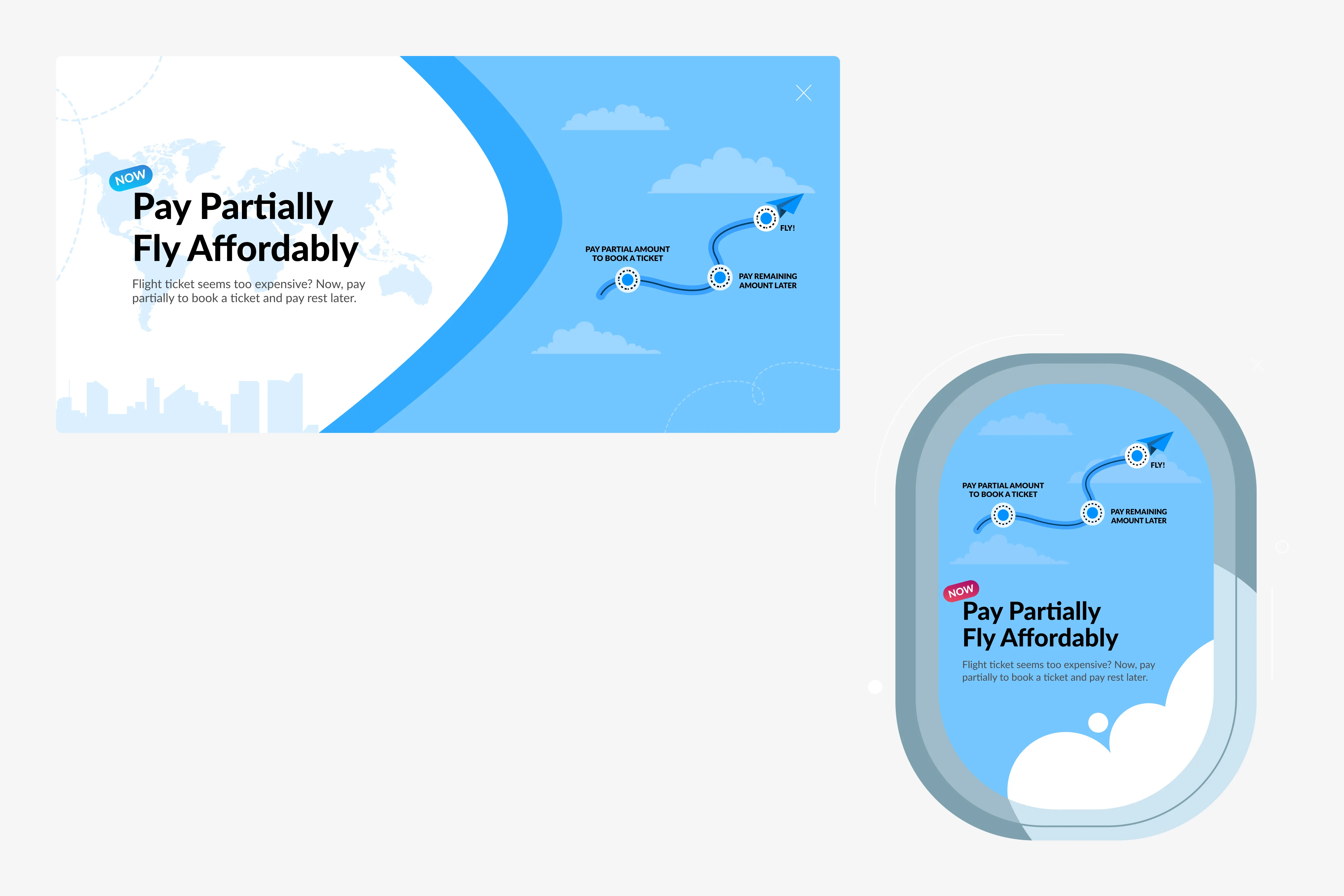
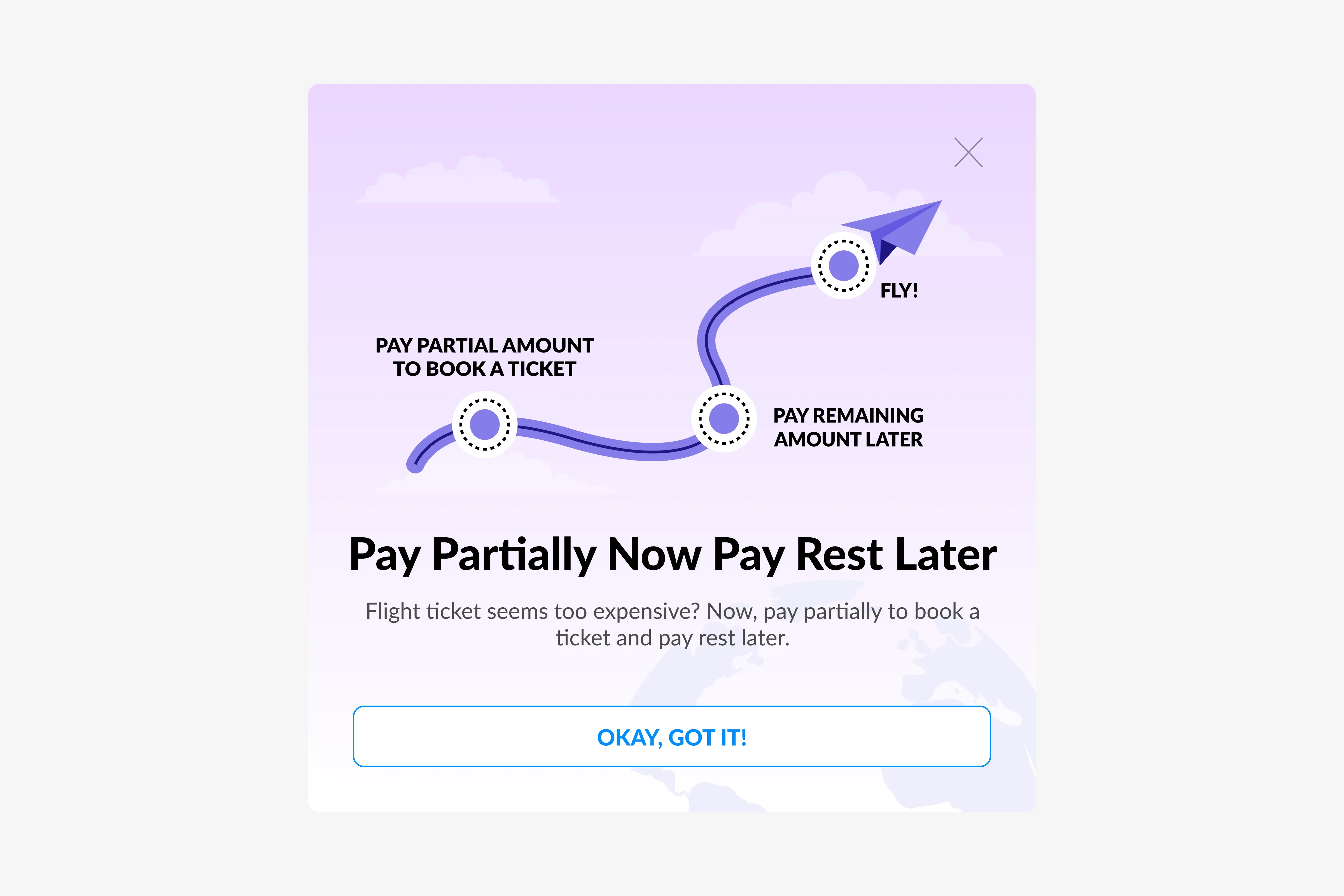
For feature discoverability, this is how the modal will appear just after the user lands on the listing page.
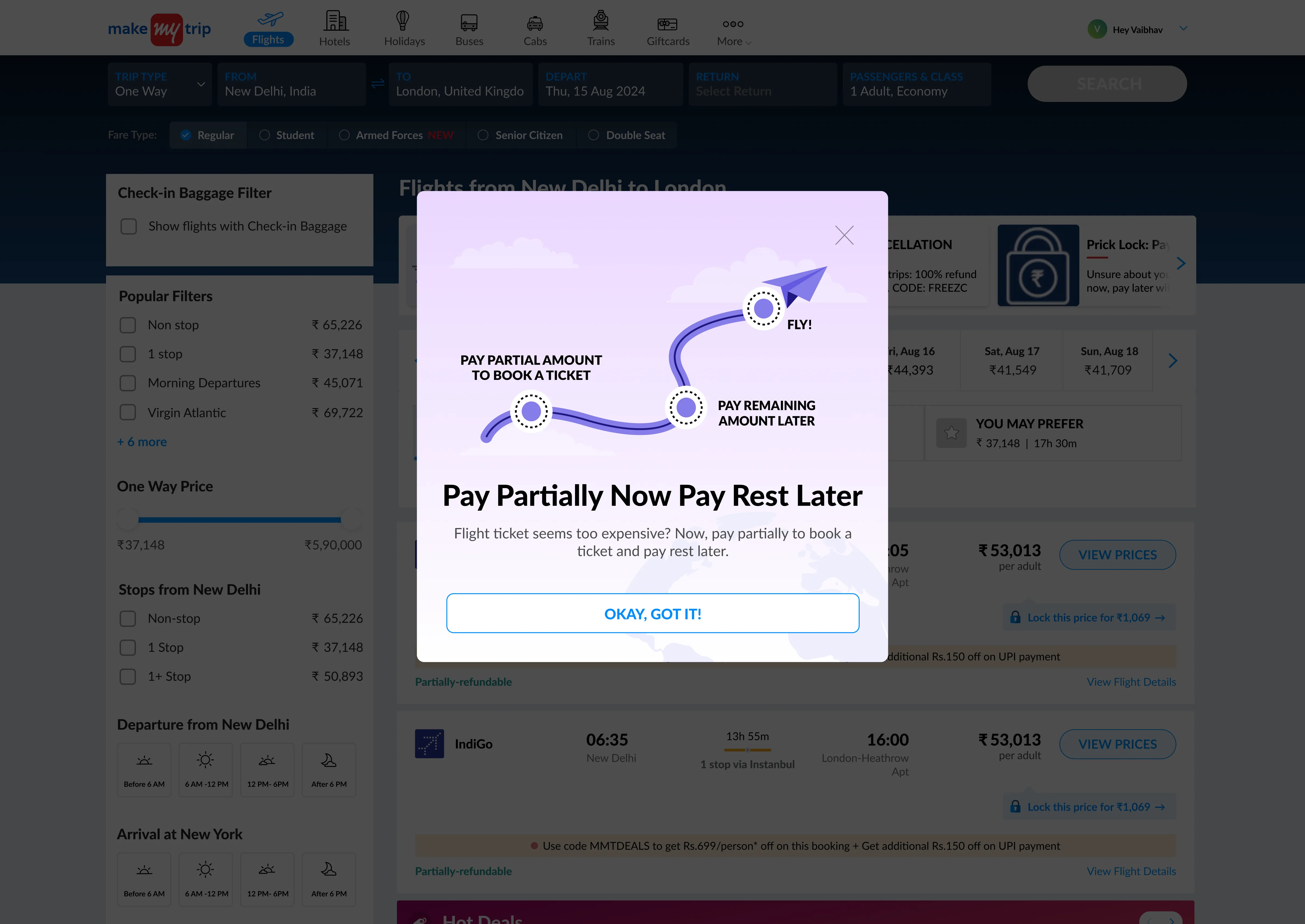
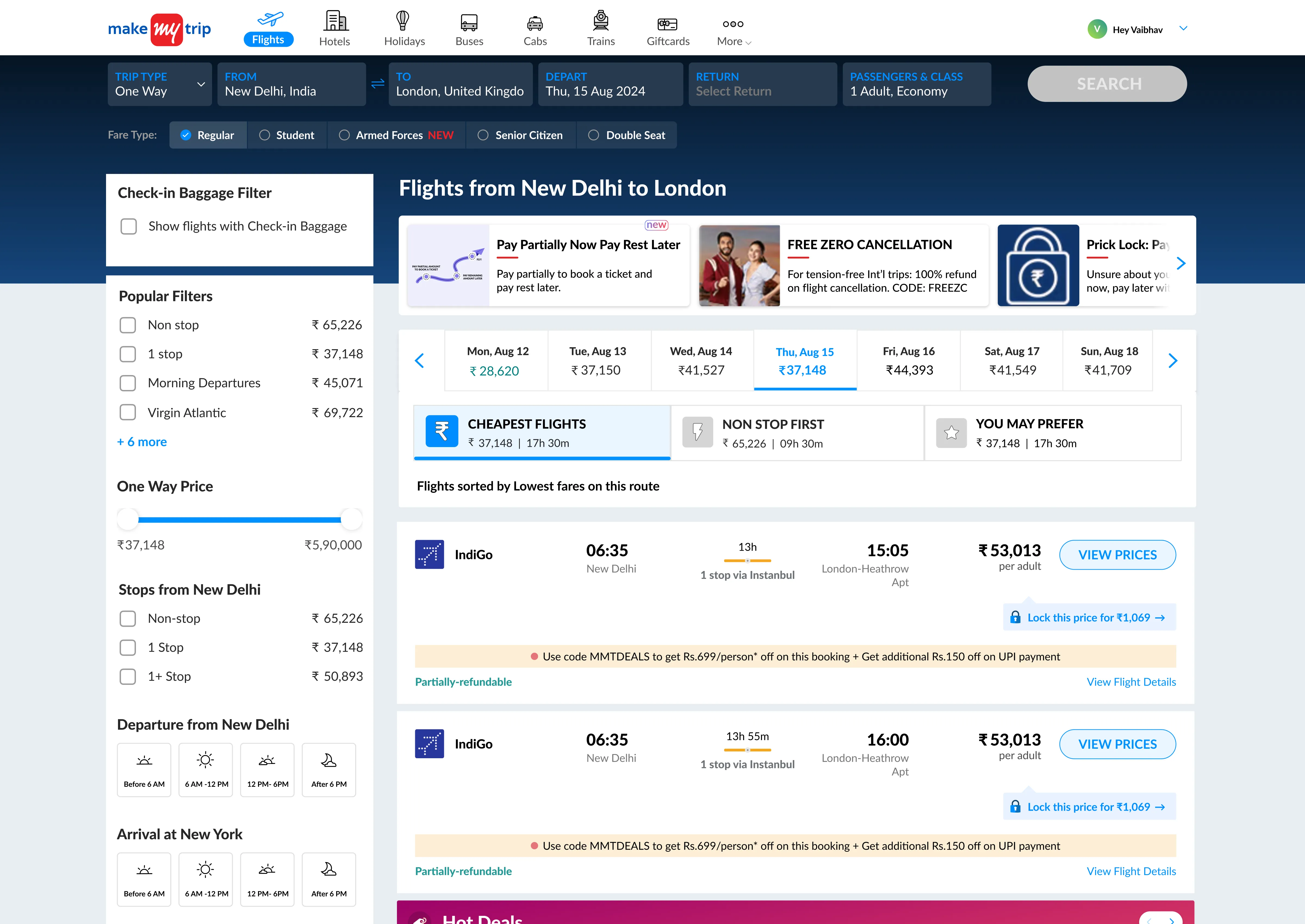
Apart from the modal, to ensure users get to know about this feature I also added a banner in the carousel section of the listing page where we showcase other new features as well.
Jumping to fare family modal
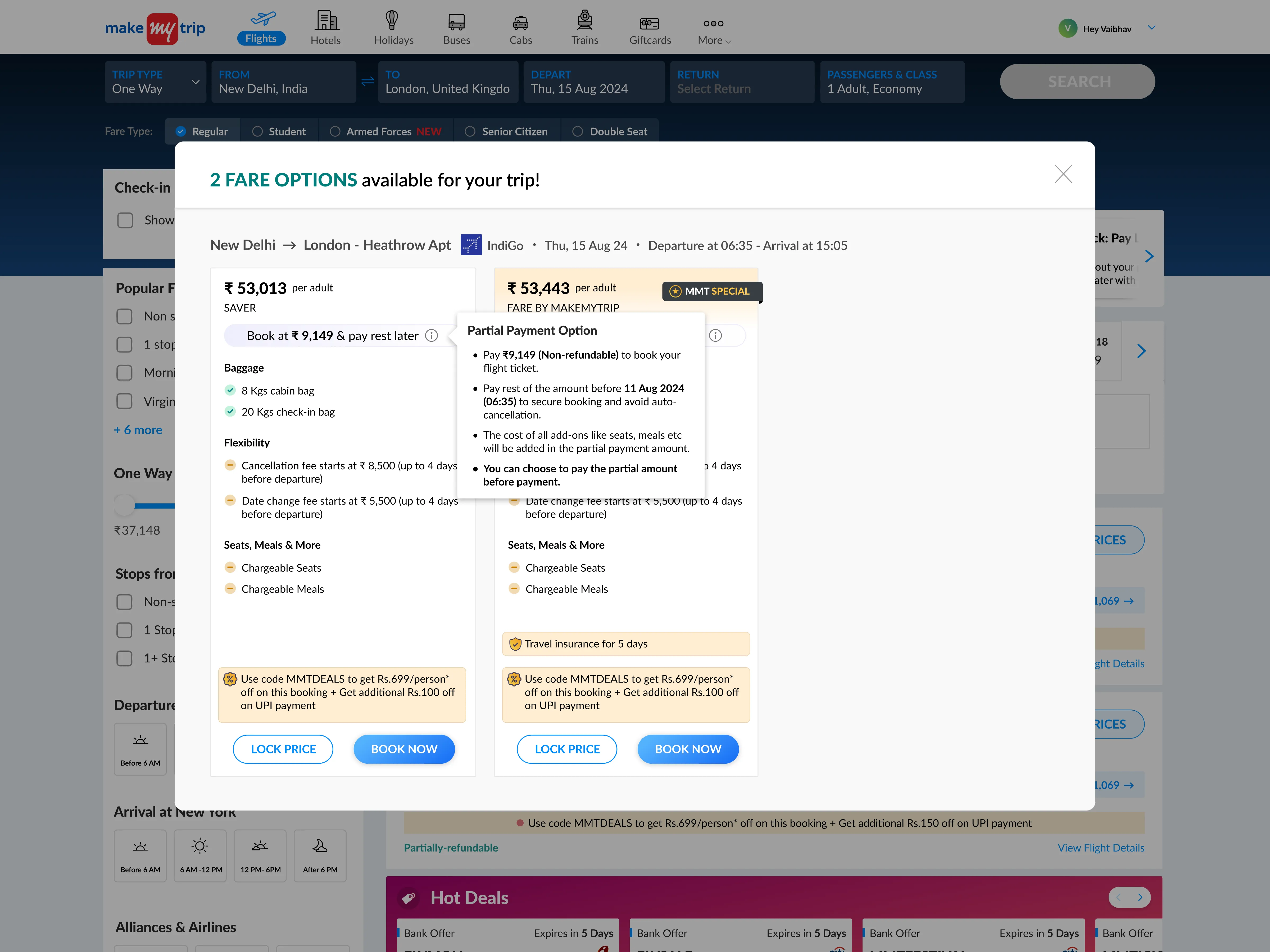
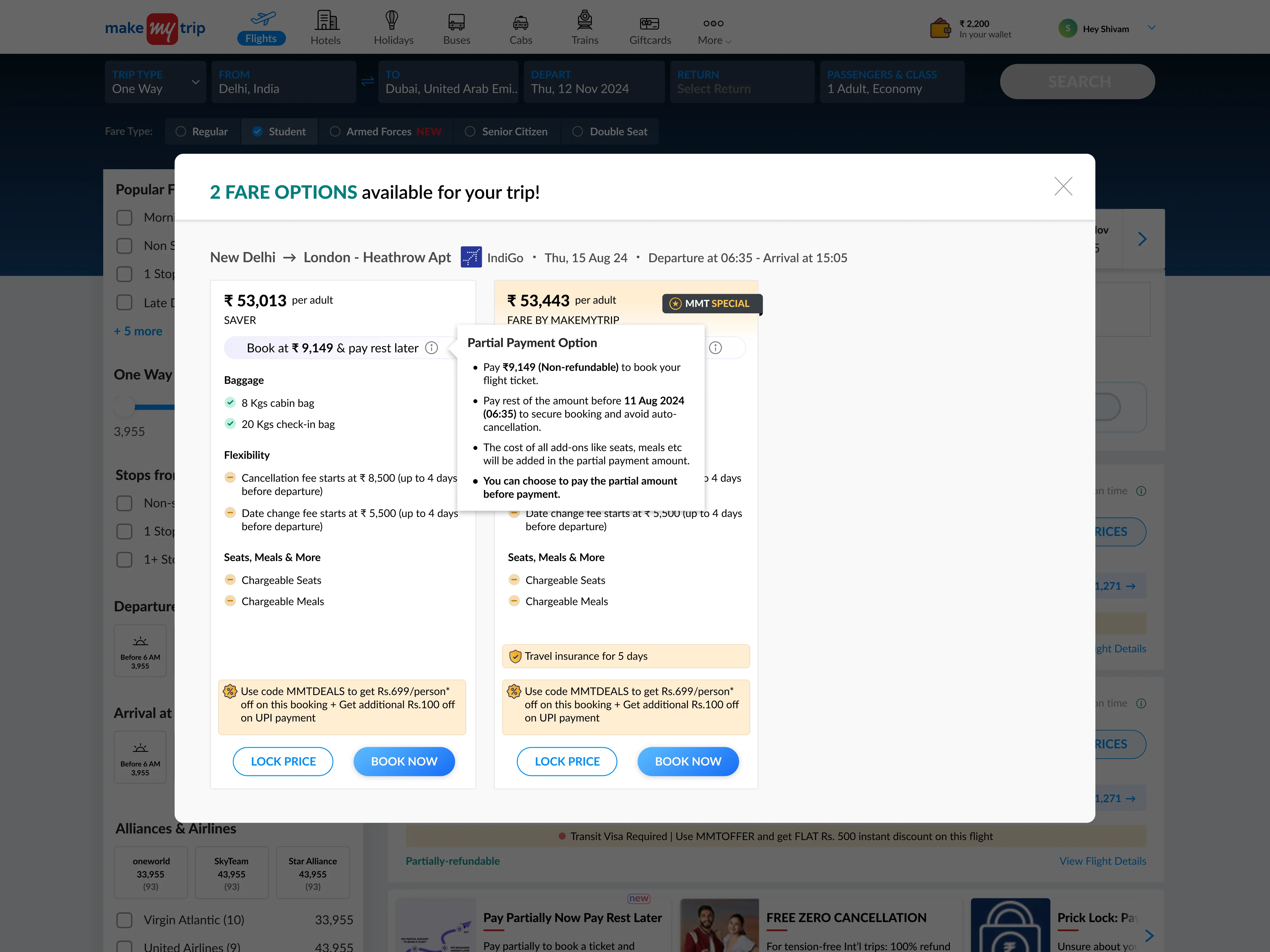
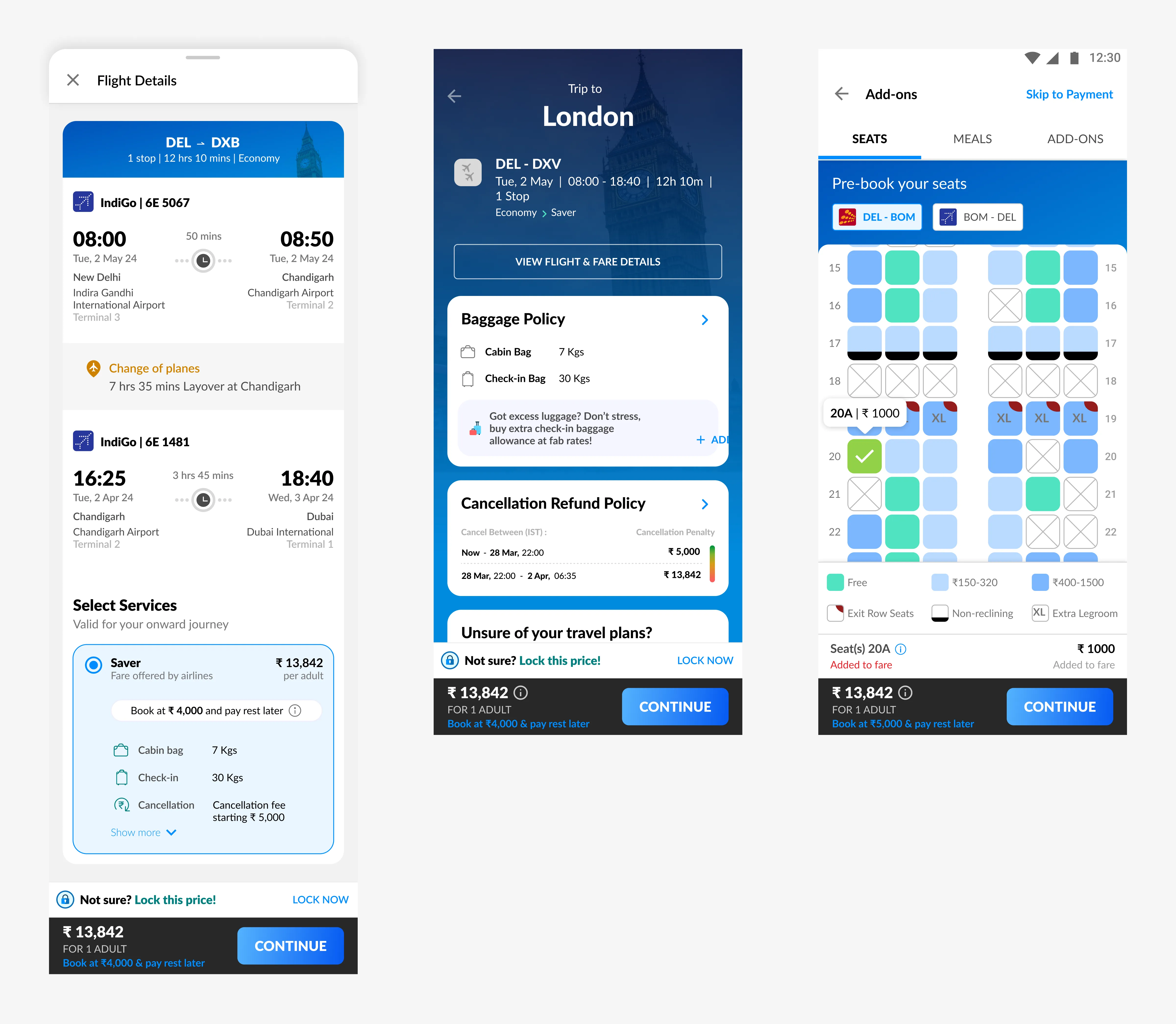
This is the modal where the user selects the fare family of a particular flight such as Economy, Premium Economy, etc. On this page, we will be showing the intervention of this feature for the first time.
Here are some iterations I made for the fare family card.
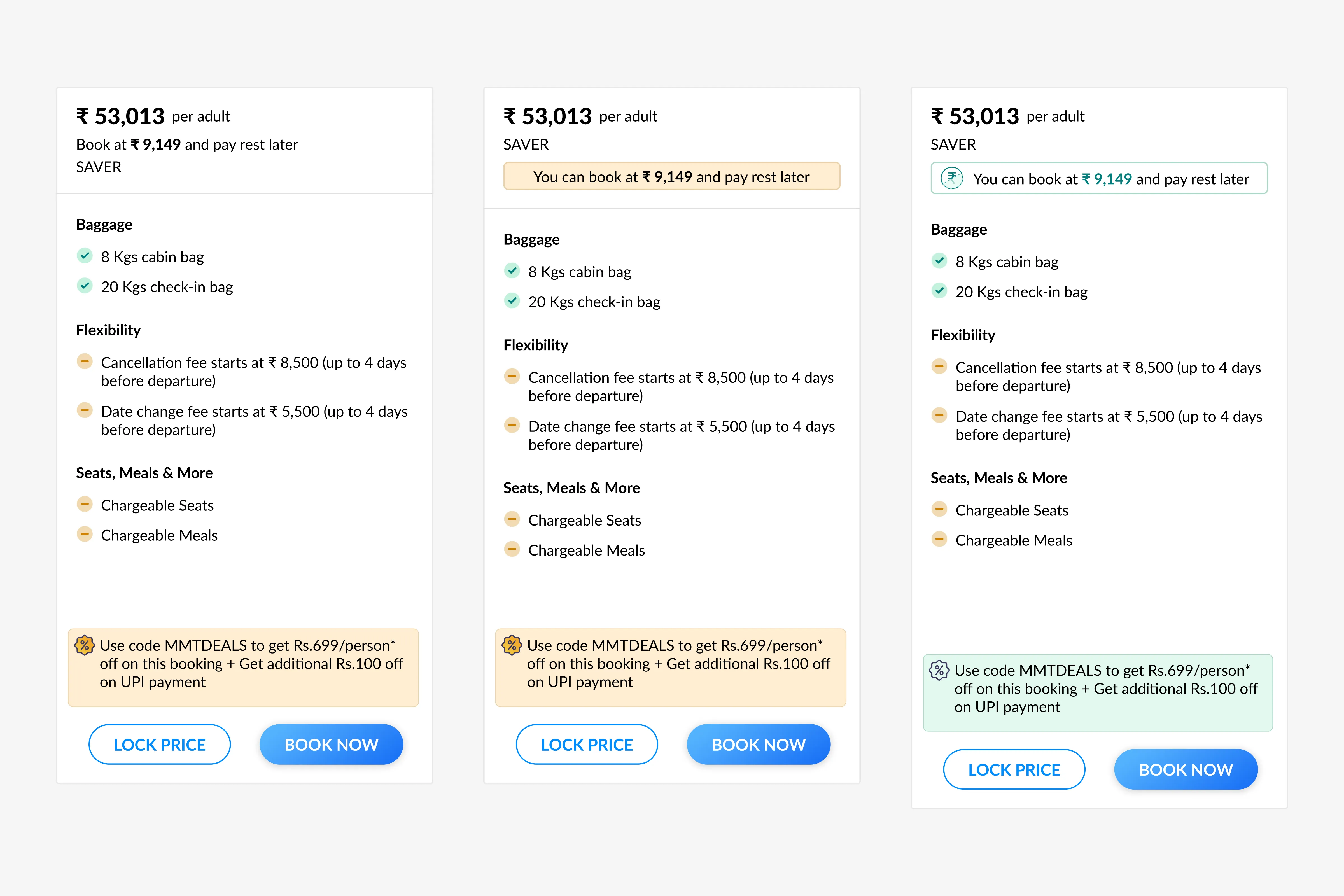
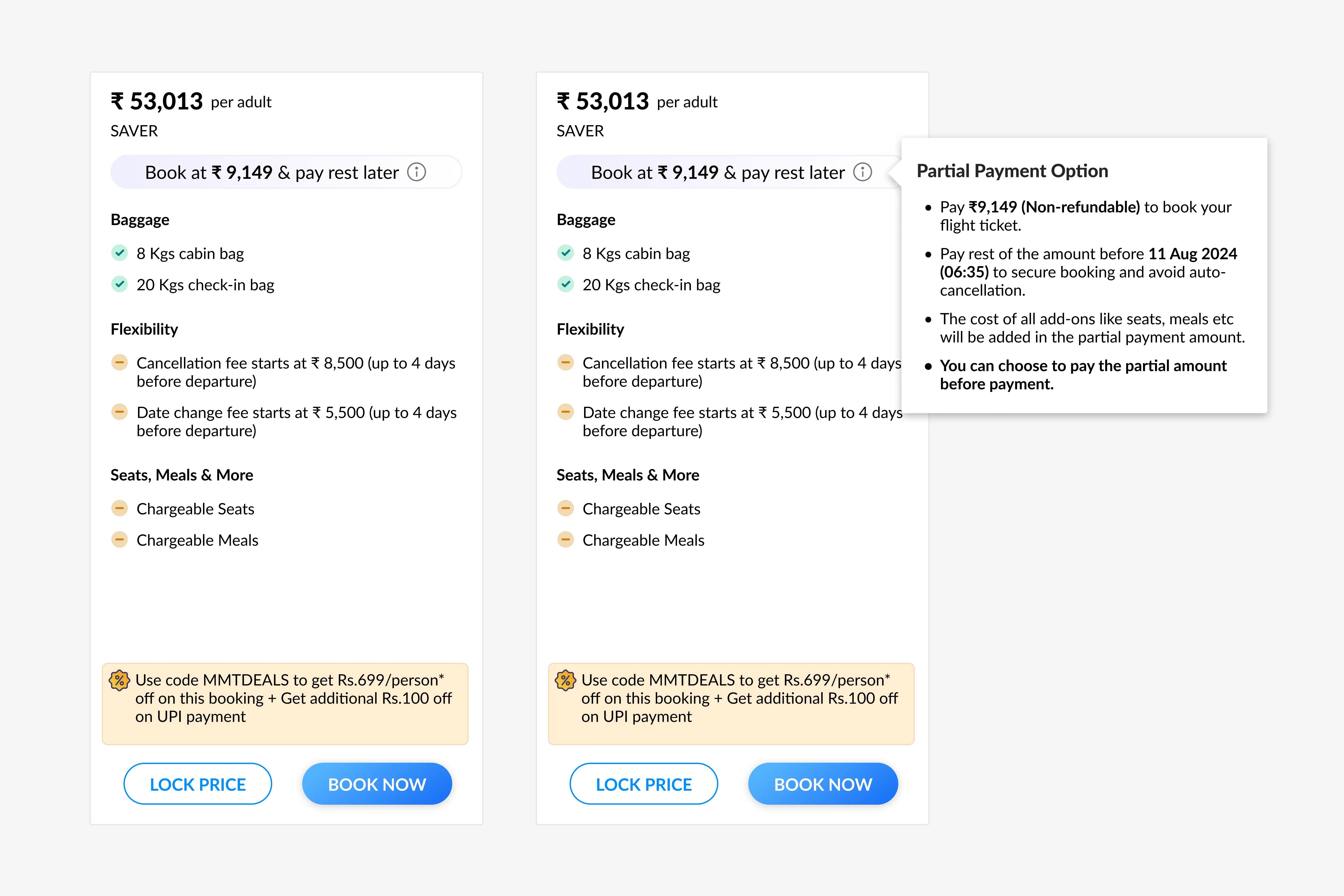
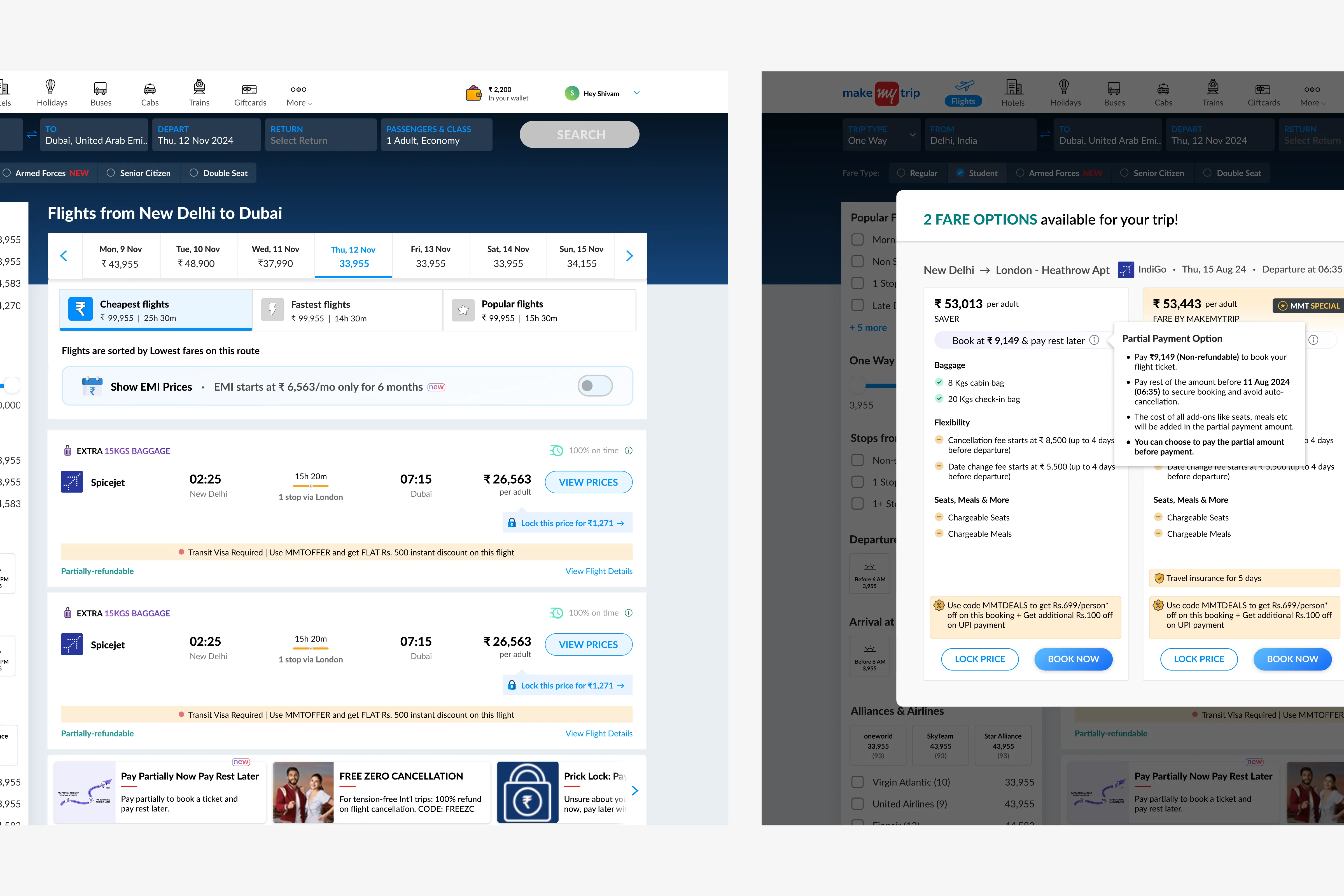
After extensive discussions with stakeholders, we decided that the final iteration should include not just the partial payment amount but also: 1. Calling out that partial amount is non-refundable. 2. Deadline to pay the remaining amount. 3. Seats, meals, and add-ons will be included in the partial amount. 4. When the user can choose between partial payment and full payment. Here's how the fare family card will look in action.
Now, finally it's time for the Review Page
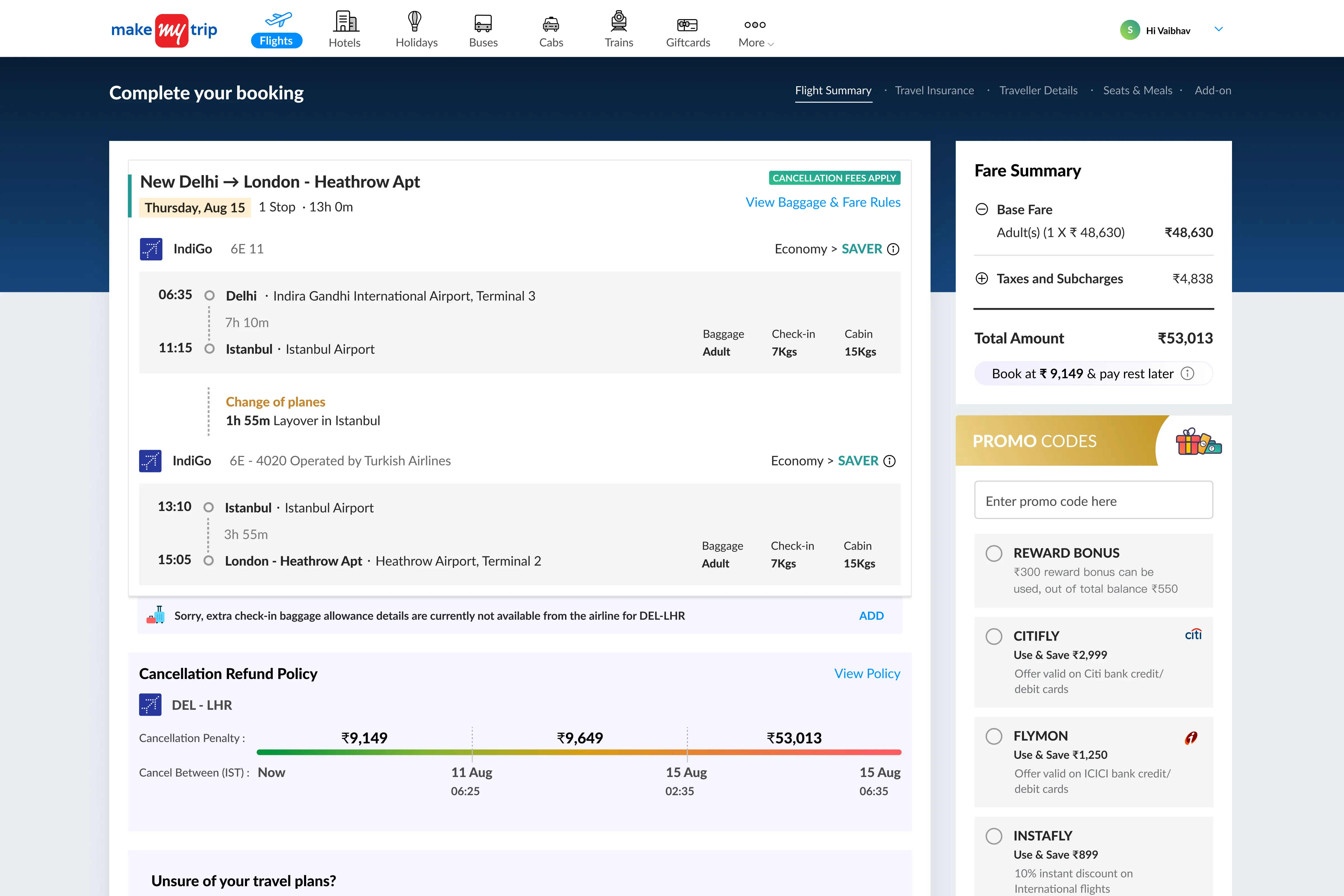
The only section that will change here is the fare summary section because it's the only section which focuses on what amount the user has to pay, which will change depending on what the user adds like seats, meals, extra baggage, etc.
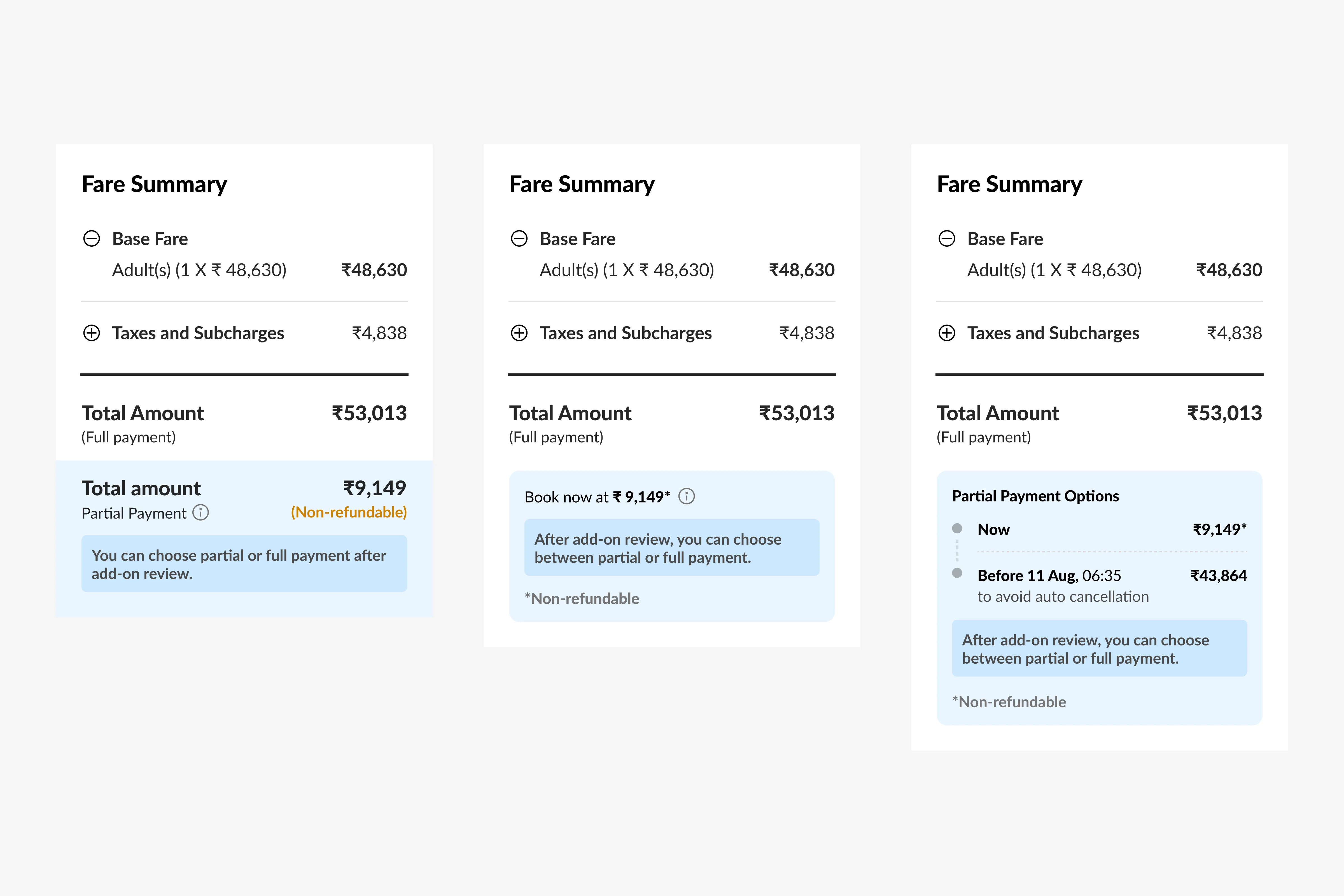
Here are some iterations I made for the intervention of partial payment in the fare summary section.
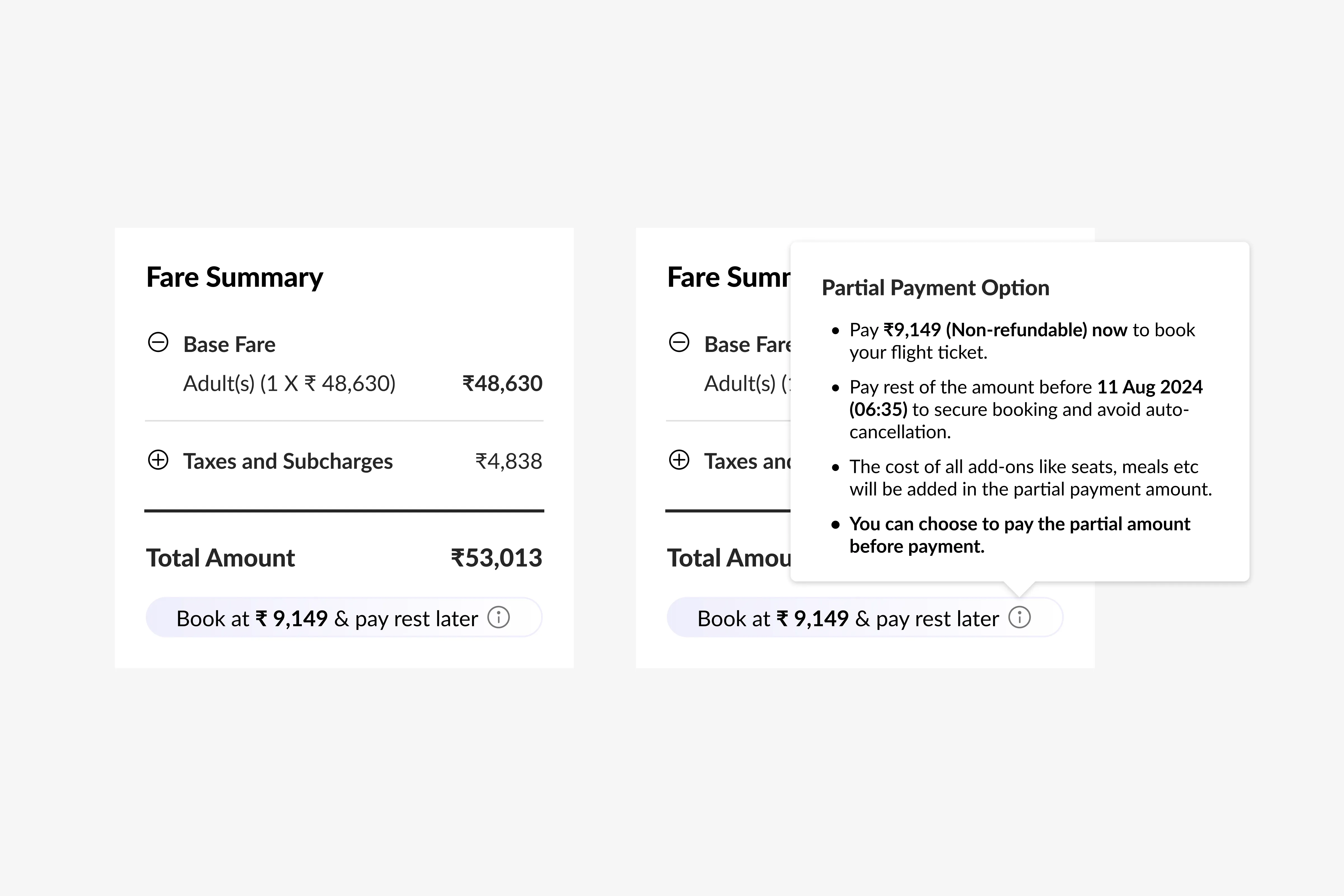
For the final iteration, we decided to use the same design language as used in the fare family modal. The fare summary is crucial on the review page, already containing many data points. We aimed to avoid adding clutter and confusion for the user. Here's how the fare summary will look on the review page.
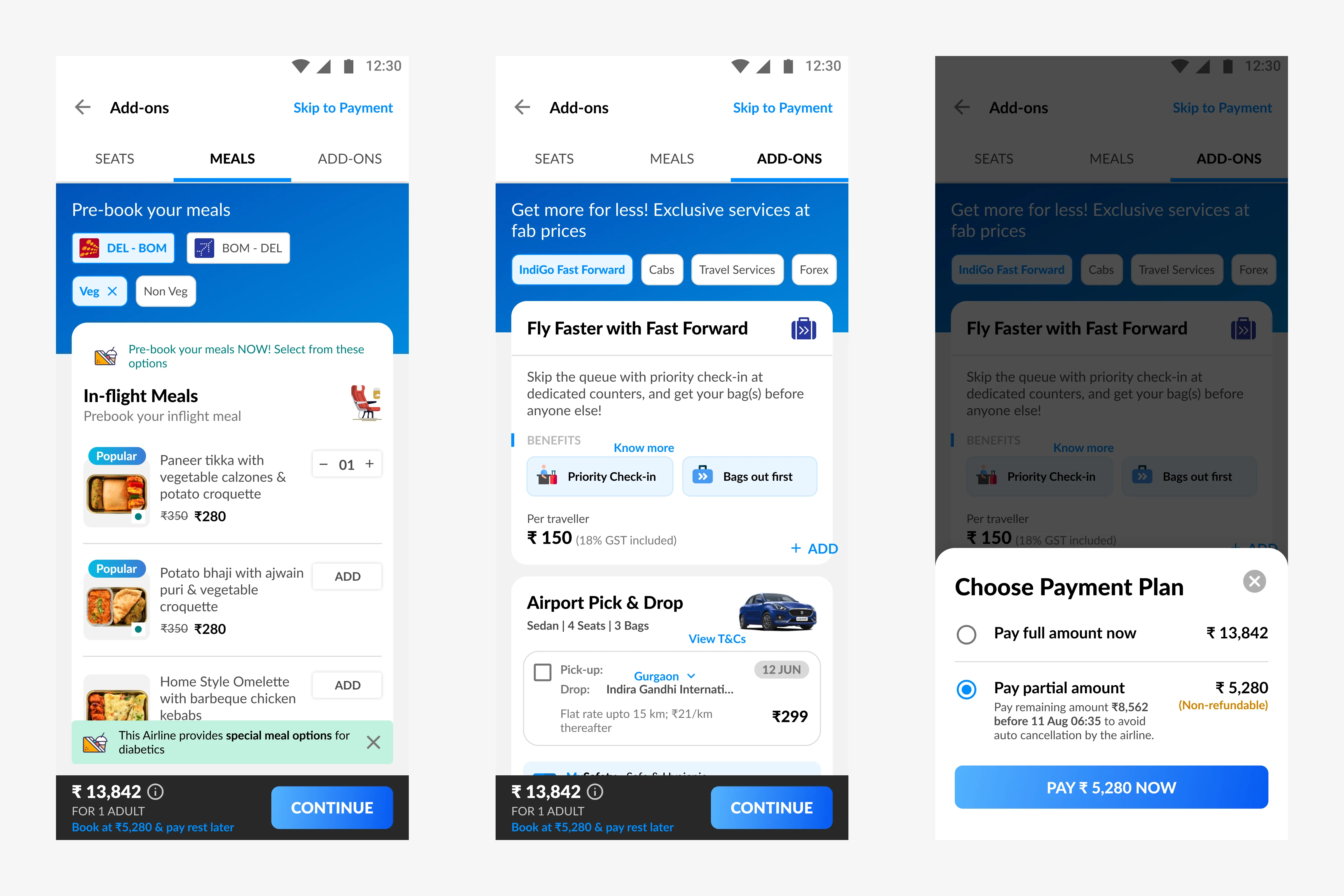
With this feature, one more step got added in the flow as we have to ask the user to choose between full payment and partial payment.
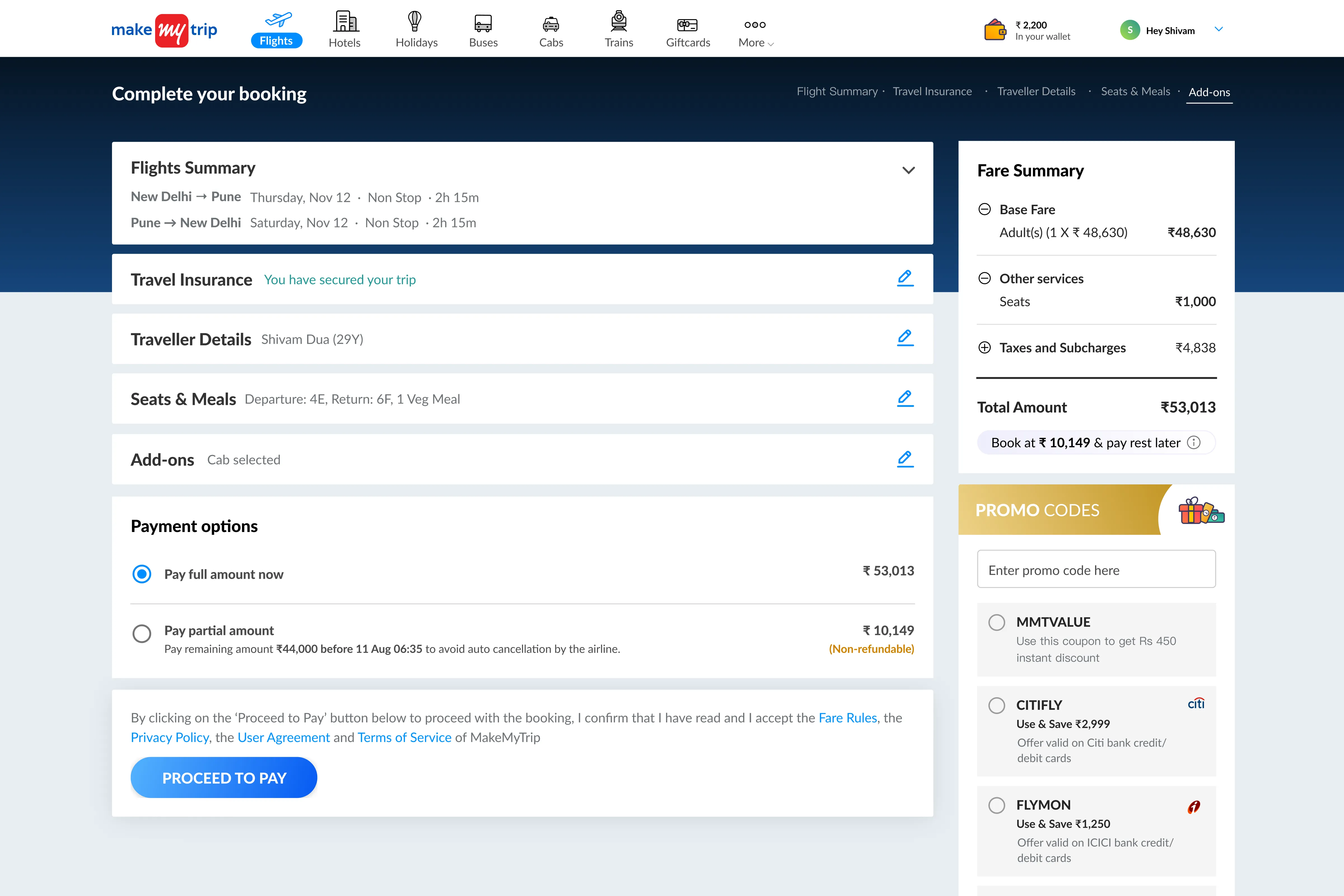
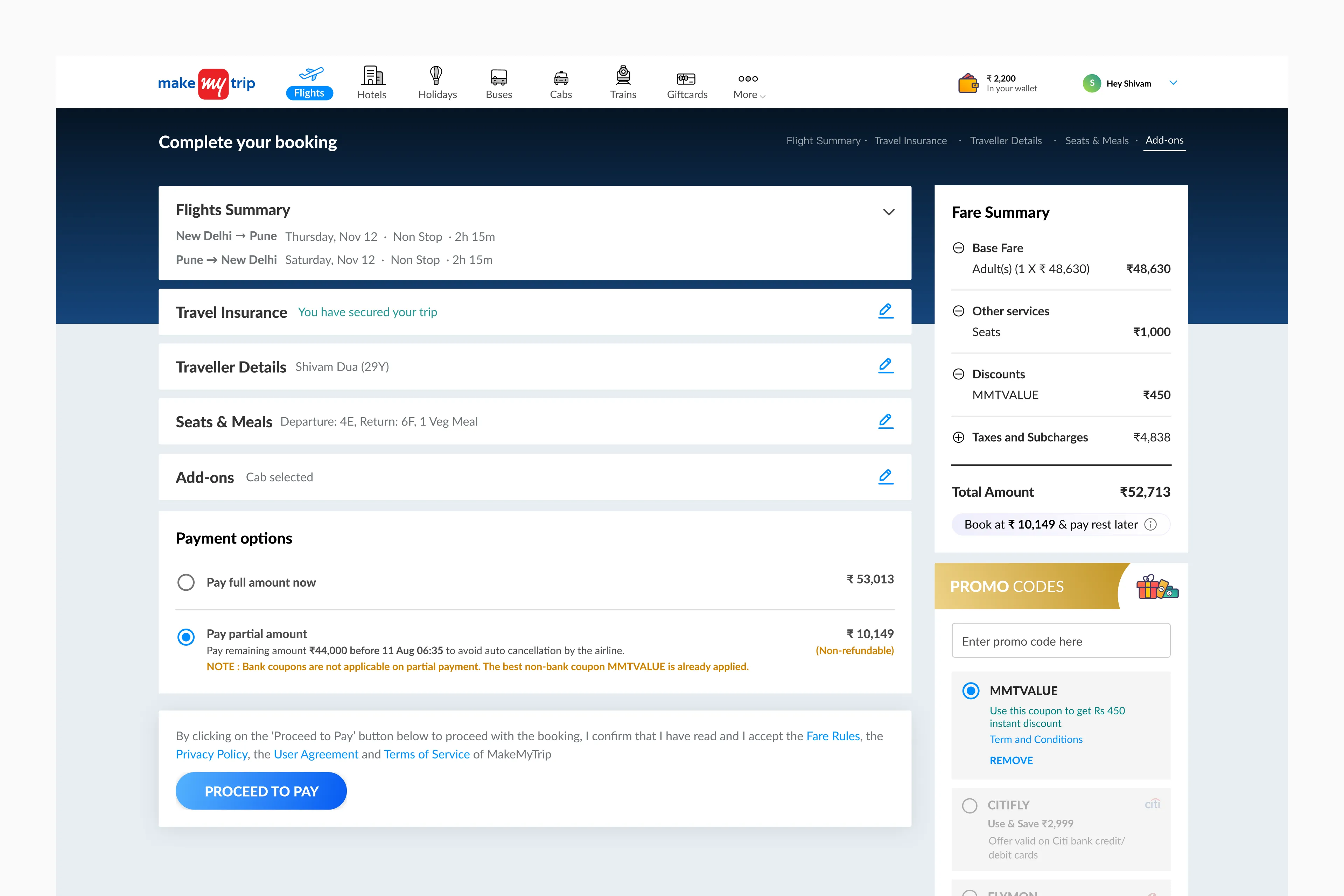
One caveat to this feature is, if the user opts for partial payment, they can't avail bank offers. In case this happens, we will automatically apply the best non-bank coupon.
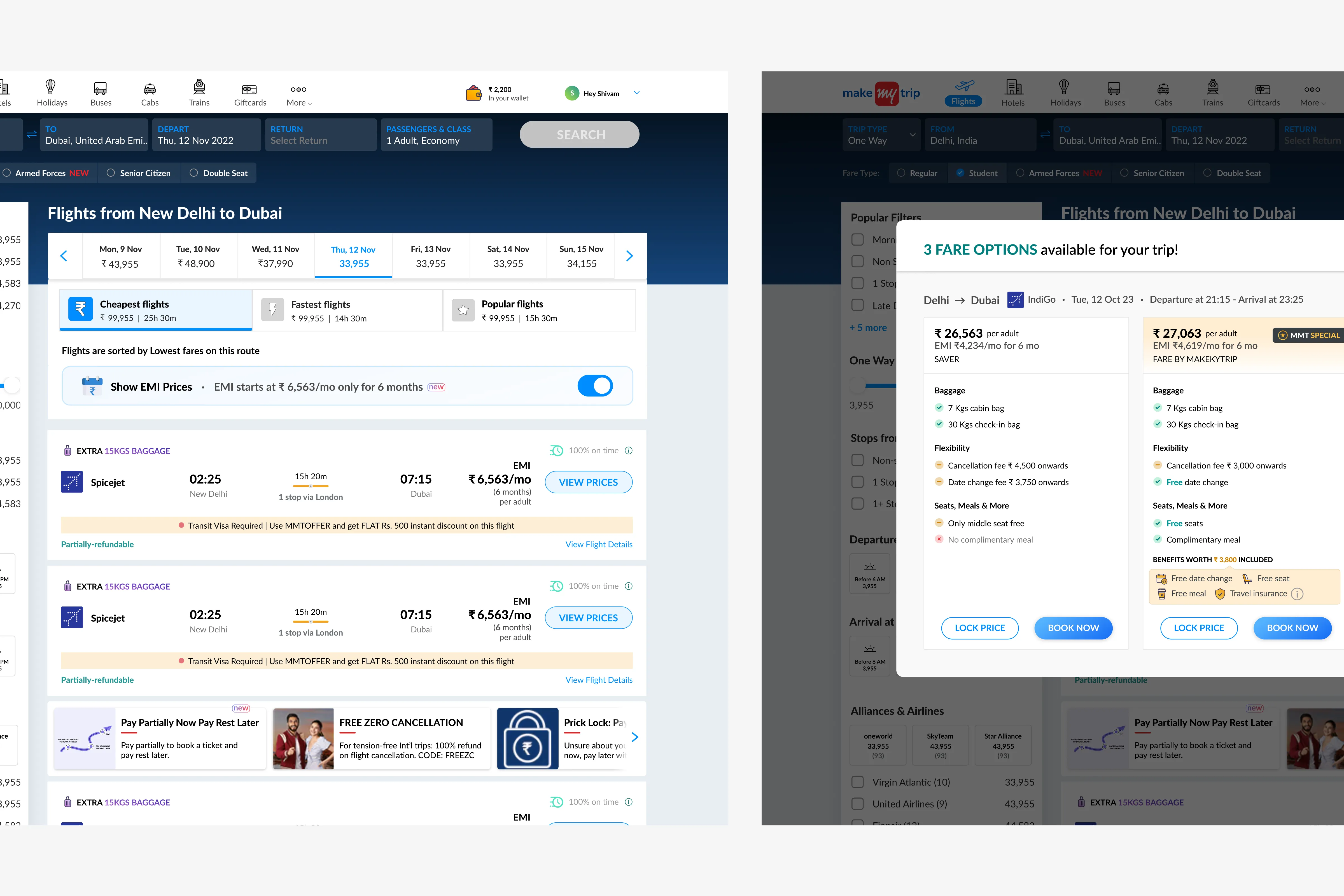
This is how we handled both EMI and Partial Payment together.
Desktop designs are sorted, now scaling down to mobile
Although I started with desktop designs first as there was no platform priority. Scaling down the designs to match mobile screen size was straightforward as the flow was almost the same for both platforms.
There is a post-sales flow as well
When the user had made a booking, cancellation, date and name changes, etc., comes under that. It was even more complex than the pre-sales flow discussed here.
A few things I learnt in this project
1. A healthy argument (especially with PMs) is sometimes necessary to make sure all stakeholders are on the same page. Given that there were more than 10 stakeholders in this project, this is the most important learning for me. 2. Don't change the intent of other related elements on a page for the user, given that a lot of users use the platform regularly. 3. As a designer, I cannot solve for all use cases in phase 1. I had to make a trade-off to not show EMI options along with partial payment as there were a lot of opposing edge cases to deal with in a very short span of time.
Thank you very much for reading
Feel free to reach out for any feedback, suggestions, or if you want to discuss this project in more detail or talk about products and design in general.